


Powiadomienia
Wyczyść wszystko
OpenHAB
29
Wpisów
4
Użytkownicy
0
Reactions
3,054
Wyświetleń

Autor tematu
Cześć. Nie wiem jak to zrobiłem ale popsułem sobie OpenHaba. Działał bardzo dobre, otwierał się w przeglądarce przez home.myopenhab.org albo przez IP z portem. W sumie to nic ostatnio nie zrobiłem jedyne co od tygodnia to przez SSH sprawdziłem
systemctl status mosquitto
systemctl status iptables
Podpowiecie co popsułem i jak to naprawić?
Dodane : 25/09/2022 10:19 am

trochę za mało informacji
co tam w log /var/log/openhab/openhab.log
co tam pokazuje
systemctl restart openhab
systemctl status openhab
Dodane : 25/09/2022 1:07 pm
Autor tematu
Z /var/log/openhab/openhab.log wrzucam tylko końcówkę bo widzę że do północy w przybliżeniu działało wszystko dobrze mam wykresy z odczytów sensorów BMW280
2022-09-24 16:47:55.734 [WARN ] [org.eclipse.jetty.server.HttpChannel] - google.com:443
java.lang.StringIndexOutOfBoundsException: begin 0, end -1, length 14
        at java.lang.String.checkBoundsBeginEnd(String.java:3319) ~[?:?]
        at java.lang.String.substring(String.java:1874) ~[?:?]
        at org.ops4j.pax.web.service.spi.model.ServerModel.matchPathToContext(ServerModel.java:370) ~[?:?]
        at org.ops4j.pax.web.service.spi.model.ServerModel.matchPathToContext(ServerModel.java:310) ~[?:?]
        at org.ops4j.pax.web.service.jetty.internal.JettyServerHandlerCollection.handle(JettyServerHandlerCollection.java:73) ~[?:?]
        at org.eclipse.jetty.server.handler.HandlerWrapper.handle(HandlerWrapper.java:127) ~[bundleFile:9.4.46.v20220331]
        at org.eclipse.jetty.server.Server.handle(Server.java:516) ~[bundleFile:9.4.46.v20220331]
        at org.eclipse.jetty.server.HttpChannel.lambda$handle$1(HttpChannel.java:487) ~[bundleFile:9.4.46.v20220331]
        at org.eclipse.jetty.server.HttpChannel.dispatch(HttpChannel.java:732) ~[bundleFile:9.4.46.v20220331]
        at org.eclipse.jetty.server.HttpChannel.handle(HttpChannel.java:479) [bundleFile:9.4.46.v20220331]
        at org.eclipse.jetty.server.HttpConnection.onFillable(HttpConnection.java:277) [bundleFile:9.4.46.v20220331]
        at org.eclipse.jetty.io.AbstractConnection$ReadCallback.succeeded(AbstractConnection.java:311) [bundleFile:9.4.46.v20220331]
        at org.eclipse.jetty.io.FillInterest.fillable(FillInterest.java:105) [bundleFile:9.4.46.v20220331]
        at org.eclipse.jetty.io.ChannelEndPoint$1.run(ChannelEndPoint.java:104) [bundleFile:9.4.46.v20220331]
        at org.eclipse.jetty.util.thread.QueuedThreadPool.runJob(QueuedThreadPool.java:883) [bundleFile:9.4.46.v20220331]
        at org.eclipse.jetty.util.thread.QueuedThreadPool$Runner.run(QueuedThreadPool.java:1034) [bundleFile:9.4.46.v20220331]
        at java.lang.Thread.run(Thread.java:829) [?:?]
2022-09-25 06:18:15.450 [INFO ] [io.openhabcloud.internal.CloudClient] - Shutting down openHAB Cloud service connection
2022-09-25 06:18:15.455 [INFO ] [io.openhabcloud.internal.CloudClient] - Disconnected from the openHAB Cloud service (UUID = 54deec15-a02b-4086-9875-be70b4886f1c, base URL =  http://localhost:8080)
2022-09-25 06:18:15.608 [INFO ] [ab.ui.habpanel.internal.HABPanelTile] - Stopped HABPanel
2022-09-25 06:18:15.621 [INFO ] [basic.internal.servlet.WebAppServlet] - Stopped Basic UI
2022-09-25 06:18:15.662 [INFO ] [org.openhab.ui.internal.UIService   ] - Stopped UI
Na restart trzeb poczekać kilkanaście sekund.
Poniżej wyniki restart i status.
ubuntu@instance:~$ sudo systemctl restart openhab
ubuntu@instance:~$ sudo systemctl status openhab
● openhab.service - openHAB - empowering the smart home
     Loaded: loaded (/lib/systemd/system/openhab.service; disabled; vendor preset: enabled)
     Active: active (running) since Sun 2022-09-25 11:21:32 UTC; 3s ago
       Docs:  https://www.openhab.org/docs/
              https://community.openhab.org
   Main PID: 3970 (java)
      Tasks: 21 (limit: 7015)
     Memory: 106.6M
        CPU: 3.267s
     CGroup: /system.slice/openhab.service
             └─3970 /usr/bin/java -XX:-UsePerfData -Dopenhab.home=/usr/share/openhab -Dopenhab.conf=/etc/openhab -Dopenhab.runtime=/usr/share/openhab/runtime -Dopenhab.userdata=/var/lib/openhab -Dopenhab.logdir=/var/log/openhab -Dfelix.>

Sep 25 11:21:32 instance systemd[1]: openhab.service: Deactivated successfully.
Sep 25 11:21:32 instance systemd[1]: Stopped openHAB - empowering the smart home.
Sep 25 11:21:32 instance systemd[1]: openhab.service: Consumed 29.328s CPU time.
Sep 25 11:21:32 instance systemd[1]: Started openHAB - empowering the smart home.
lines 1-16/16 (END)
W logu niepokoi mnie trochę ostatnia linijka:
2022-09-25 06:18:15.662 [INFO ] [org.openhab.ui.internal.UIService ] - Stopped UI
Dodane : 25/09/2022 1:23 pm
a po tym restarcie nie działa?
usuń wszystkie pliki z
/var/log/openhab/
zrób restart
sudo systemctl restart openhab
po 1,2 minucie załącz plik : /var/log/openhab/openhab.log
Dodane : 25/09/2022 4:59 pm
Autor tematu
Zrobiłem tak jak pisałeś. Powstał tylko jeden powstały trzy pliki ale tyko w jednym coś było.
oenhab.log
2022-09-25 16:25:13.458 [INFO ] [.core.internal.i18n.I18nProviderImpl] - Time zone set to 'Europe/Warsaw'.
2022-09-25 16:25:13.499 [INFO ] [.core.internal.i18n.I18nProviderImpl] - Location set to '51.111704745157574,20.86358428001404'.
2022-09-25 16:25:13.504 [INFO ] [.core.internal.i18n.I18nProviderImpl] - Locale set to 'pl_PL'.
2022-09-25 16:25:24.003 [INFO ] [.core.model.lsp.internal.ModelServer] - Started Language Server Protocol (LSP) service on port 5007
2022-09-25 16:25:26.462 [INFO ] [org.openhab.ui.internal.UIService   ] - Started UI on port 8080
2022-09-25 16:25:27.138 [INFO ] [ab.ui.habpanel.internal.HABPanelTile] - Started HABPanel at /habpanel
2022-09-25 16:25:27.869 [INFO ] [io.openhabcloud.internal.CloudClient] - Connected to the openHAB Cloud service (UUID = 54deec15-a02b-4086-9875-be70b4886f1c, base URL =  http://localhost:8080)
2022-09-25 16:25:28.203 [INFO ] [.transport.mqtt.MqttBrokerConnection] - Starting MQTT broker connection to 'localhost' with clientid 2eff2073-c7c7-494b-8b81-c68ccb7da610
2022-09-25 16:25:33.750 [INFO ] [e.automation.internal.RuleEngineImpl] - Rule engine started.
Dodane : 25/09/2022 6:45 pm

Nie znam OH ale z logu wynika że działa na porcie 8080 ,
http://localhost:8080
Co dostajesz po wpisaniu tego w przeglądarkę ?
Dodane : 25/09/2022 7:07 pm
Autor tematu
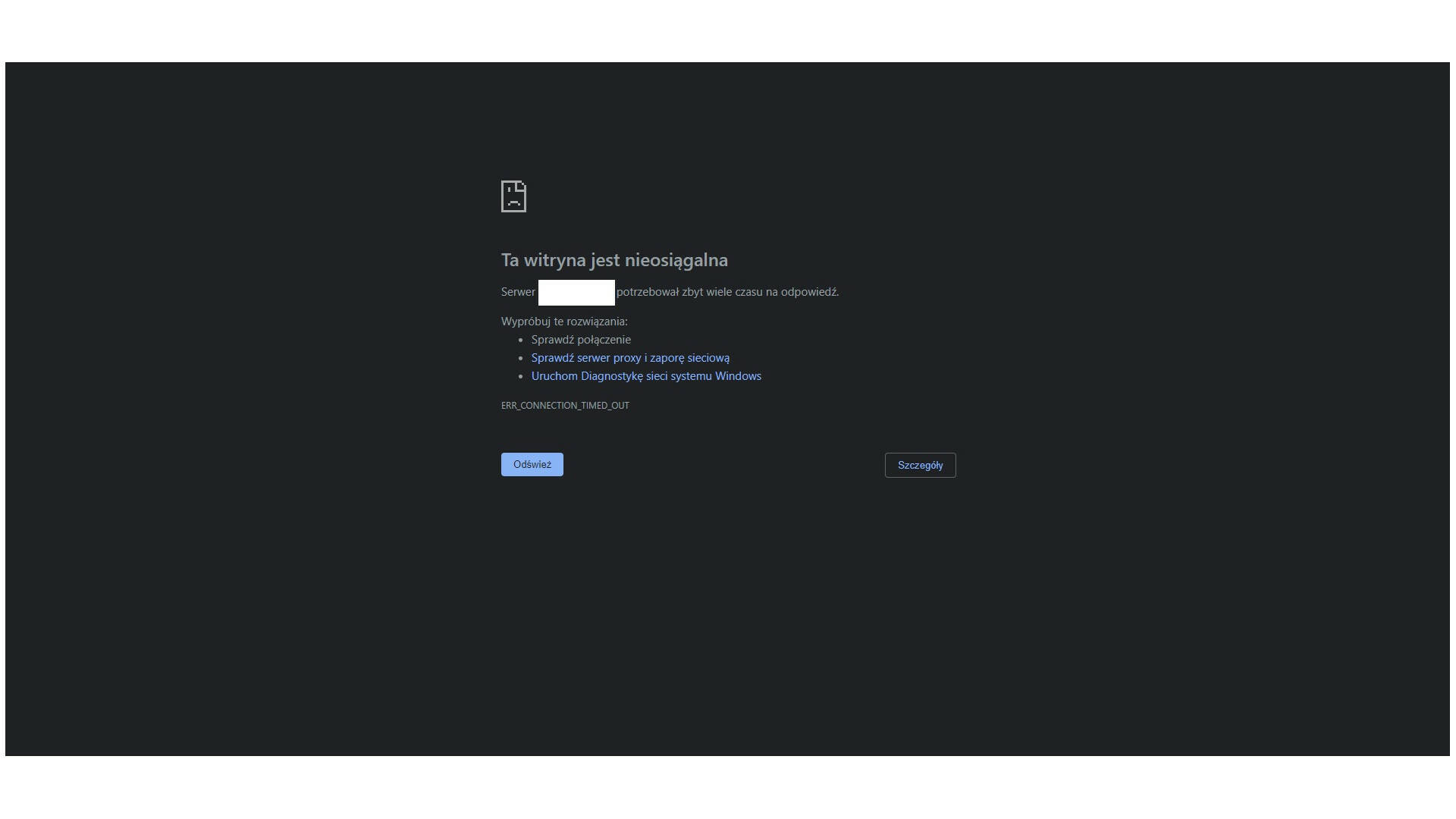
Dołączam zrzut ekranu.
Dodane : 25/09/2022 8:06 pm
sam OH działa wg tego screenshot'a z log
wpisz adres IP tego serwera na którym stoi openhab
jak nie działa, bo rozumiem nie działa
to szukaj gdzieś konfiguracja sieci, firewall, blokowanie portów
może coś tym iptables poblokowałeś
Dodane : 26/09/2022 4:47 pm
Autor tematu
Tak rygląda mój plik /etc/iptables/rules.v4
# CLOUD_IMG: This file was created/modified by the Cloud Image build process
# iptables configuration for Oracle Cloud Infrastructure

# See the Oracle-Provided Images section in the Oracle Cloud Infrastructure
# documentation for security impact of modifying or removing these rule

*filter
:INPUT ACCEPT [0:0]
:FORWARD ACCEPT [0:0]
:OUTPUT ACCEPT [463:49013]
:InstanceServices - [0:0]
-A INPUT -m state --state RELATED,ESTABLISHED -j ACCEPT
-A INPUT -p icmp -j ACCEPT
-A INPUT -i lo -j ACCEPT
-A INPUT -p udp --sport 123 -j ACCEPT
-A INPUT -p tcp -m state --state NEW -m tcp --dport 22 -j ACCEPT

####################################################################################################################################################
-A INPUT -p tcp -m state --state NEW -m tcp --dport 8080 -j ACCEPT
-A INPUT -p tcp -m state --state NEW -m tcp --dport 1883 -j ACCEPT
####################################################################################################################################################

-A INPUT -j REJECT --reject-with icmp-host-prohibited
-A FORWARD -j REJECT --reject-with icmp-host-prohibited
-A OUTPUT -d 169.254.0.0/16 -j InstanceServices
-A InstanceServices -d 169.254.0.2/32 -p tcp -m owner --uid-owner 0 -m tcp --dport 3260 -m comment --comment "See the Oracle-Provided Images section in the Oracle Cloud Infrastructure documentation for security impact of modifying or re>
-A InstanceServices -d 169.254.2.0/24 -p tcp -m owner --uid-owner 0 -m tcp --dport 3260 -m comment --comment "See the Oracle-Provided Images section in the Oracle Cloud Infrastructure documentation for security impact of modifying or re>
-A InstanceServices -d 169.254.4.0/24 -p tcp -m owner --uid-owner 0 -m tcp --dport 3260 -m comment --comment "See the Oracle-Provided Images section in the Oracle Cloud Infrastructure documentation for security impact of modifying or re>
-A InstanceServices -d 169.254.5.0/24 -p tcp -m owner --uid-owner 0 -m tcp --dport 3260 -m comment --comment "See the Oracle-Provided Images section in the Oracle Cloud Infrastructure documentation for security impact of modifying or re>
-A InstanceServices -d 169.254.0.2/32 -p tcp -m tcp --dport 80 -m comment --comment "See the Oracle-Provided Images section in the Oracle Cloud Infrastructure documentation for security impact of modifying or removing this rule" -j ACCE>
-A InstanceServices -d 169.254.169.254/32 -p udp -m udp --dport 53 -m comment --comment "See the Oracle-Provided Images section in the Oracle Cloud Infrastructure documentation for security impact of modifying or removing this rule" -j >
-A InstanceServices -d 169.254.169.254/32 -p tcp -m tcp --dport 53 -m comment --comment "See the Oracle-Provided Images section in the Oracle Cloud Infrastructure documentation for security impact of modifying or removing this rule" -j >
-A InstanceServices -d 169.254.0.3/32 -p tcp -m owner --uid-owner 0 -m tcp --dport 80 -m comment --comment "See the Oracle-Provided Images section in the Oracle Cloud Infrastructure documentation for security impact of modifying or remo>
-A InstanceServices -d 169.254.0.4/32 -p tcp -m tcp --dport 80 -m comment --comment "See the Oracle-Provided Images section in the Oracle Cloud Infrastructure documentation for security impact of modifying or removing this rule" -j ACCE>
-A InstanceServices -d 169.254.169.254/32 -p tcp -m tcp --dport 80 -m comment --comment "See the Oracle-Provided Images section in the Oracle Cloud Infrastructure documentation for security impact of modifying or removing this rule" -j >
-A InstanceServices -d 169.254.169.254/32 -p udp -m udp --dport 67 -m comment --comment "See the Oracle-Provided Images section in the Oracle Cloud Infrastructure documentation for security impact of modifying or removing this rule" -j >
-A InstanceServices -d 169.254.169.254/32 -p udp -m udp --dport 69 -m comment --comment "See the Oracle-Provided Images section in the Oracle Cloud Infrastructure documentation for security impact of modifying or removing this rule" -j >
-A InstanceServices -d 169.254.169.254/32 -p udp --dport 123 -m comment --comment "See the Oracle-Provided Images section in the Oracle Cloud Infrastructure documentation for security impact of modifying or removing this rule" -j ACCEPT
-A InstanceServices -d 169.254.0.0/16 -p tcp -m tcp -m comment --comment "See the Oracle-Provided Images section in the Oracle Cloud Infrastructure documentation for security impact of modifying or removing this rule" -j REJECT --reject>
-A InstanceServices -d 169.254.0.0/16 -p udp -m udp -m comment --comment "See the Oracle-Provided Images section in the Oracle Cloud Infrastructure documentation for security impact of modifying or removing this rule" -j REJECT --reject>
COMMIT
Instalowałem wszystko według tego opisu https://www.openhab.org/docs/installation/linux.html
Dodane : 26/09/2022 8:39 pm

@jacekjaskiewicz A próbowałeś z innego kompa? Mi ostatnio Kaspersky Safe Kids zablokował na koncie rodzica dostęp do OH :/
A jaki jest wynik polecenia z konsoli na linuxie
wget http://ip-adres:8080
Dodane : 26/09/2022 9:12 pm
Autor tematu
sam OH działa wg tego screenshot'a z log
wpisz adres IP tego serwera na którym stoi openhab
jak nie działa, bo rozumiem nie działa
to szukaj gdzieś konfiguracja sieci, firewall, blokowanie portów
może coś tym iptables poblokowałeś
Iptables wyłączyłem
ubuntu@instance-20220928-2048:~$ sudo systemctl status iptables
○ iptables.service - netfilter persistent configuration
     Loaded: loaded (/lib/systemd/system/iptables.service; alias)
     Active: inactive (dead)
       Docs: man:netfilter-persistent(8)
ubuntu@instance-20220928-2048:~$
Po wpisaniu
wget http://ip-adres:8080
otrzymuję
Connecting to ADRES-IP:8080... failed: No route to host.
Dodane : 28/09/2022 9:21 pm
@jacekjaskiewicz Nie wiem, może robisz błąd w adresie?
U mnie po wywołaniu właściwego adresu/portu:
wget  http://192.168.2.61:8080/
Connecting to 192.168.2.61:8080... connected.
HTTP request sent, awaiting response... 200 OK
Length: 1215 (1.2K) [text/html]
Saving to: ‘index.html’

index.html                           100%[=========================================================================>]   1.19K  --.-KB/s    in 0s

2022-09-28 21:57:22 (28.6 MB/s) - ‘index.html’ saved [1215/1215]
Po wybraniu na tym samym hoście portu, na którym nic nie ma:
wget  http://192.168.2.61:8123/
--2022-09-28 21:58:38--   http://192.168.2.61:8123/
Connecting to 192.168.2.61:8123... failed: Connection refused.
I po wywołaniu hosta, który nie istnieje
 wget  http://192.168.2.63:8080/
--2022-09-28 22:02:37--   http://192.168.2.63:8080/
Connecting to 192.168.2.63:8080... failed: No route to host.
Kończą mi się pomysły. Mam rozumieć, że adres-ip i IP-ADRES wpisujesz, żeby zanonimizować wpisy na forum?
Pokaż jeszcze wyniki:
sudo netstat -n -a -p|grep :8080
i
wget http://localhost:8080/
Dodane : 28/09/2022 10:05 pm
Autor tematu
Z tym adres-ip i IP-ADRES to tak dokładnie jest jak piszesz "działa" to na adresie publicznym na porcie 8080 wiec nie chciałem jawnie adresu podawać. Adres ip wpisuję prawidłowo bo kopiuję go z Putty przez który zresztą loguję się bez najmniejszego problemu.
Dodane : 28/09/2022 10:10 pm
Autor tematu
sudo netstat -n -a -p|grep :8080
tcp6       0      0 :::8080                 :::*                    LISTEN      5219/java
wget   http://localhost:8080
--2022-09-28 20:20:10--   http://localhost:8080/
Resolving localhost (localhost)... 127.0.0.1
Connecting to localhost (localhost)|127.0.0.1|:8080... connected.
HTTP request sent, awaiting response... 200 OK
Length: 1215 (1.2K) [text/html]
Saving to: ‘index.html.1’

index.html.1        100%[===================>]   1.19K  --.-KB/s    in 0s

2022-09-28 20:20:10 (140 MB/s) - ‘index.html.1’ saved [1215/1215]
Coś muszę źle robić ale co nie wiem, zrobiłem dokładnie to samo (przynajmniej tak mi się wydaje) na lokalnym ip na drugim kompie i chodzi.
Dodane : 28/09/2022 10:20 pm
Lokalnie działa, czyli generalnie OH jest w porządku. Problem wydaje się leżeć gdzieś w sieci.
Coś muszę źle robić ale co nie wiem, zrobiłem dokładnie to samo (przynajmniej tak mi się wydaje) na lokalnym ip na drugim kompie i chodzi.
Nie zrozumiałem :/
To Ubuntu to jest VPS z adresem publicznym, czy komputer w domu za NATem (routerem)?
Mam jeszcze ze 20 minut nim oczy mi się zamkną. Może szybciej będzie na discordzie?
Dodane : 28/09/2022 10:37 pm
Autor tematu
To ubuntu o które mi chodzi jest w chmurze gdzieś w świecie, a lokalnie za NATem zrobiłem dla sprawdzenia samego siebie.
Dodane : 28/09/2022 10:40 pm
A może ktoś Ci tam penetrował tego OH i dostawca VPSa zamknął port?
Albo przeglądarka blokuje, albo antywirus.
Jak ma problem z połączeniami to używam spod Windowsa telnet ( https://newsblog.pl/jak-wlaczyc-i-uzywac-telnet-w-systemie-windows-10/)
Możesz spróbować zweryfikować czy problemem nie jest np przegądarka wpisując w cmd:
telnet ip-adres 8080
między adresem a portem jest spacja.
Po uzyskaniu połączenia konsola robi się czarna (bardzo cenna informacja - widać, że ktoś tam na Ciebie czeka 😉 ), wtedy wpisujesz (nie widać jak piszesz) GET i wciskasz enter. Powinieneś otrzymać coś takiego:
HTTP/1.1 400 No URI
Content-Type: text/html;charset=iso-8859-1
Content-Length: 49
Connection: close
Server: Jetty(9.4.43.v20210629)

<h1>Bad Message 400</h1><pre>reason: No URI</pre>

Połączenie z hostem przerwane.
Co świadczy o tym, że wiadomość odebrana i otrzymałeś na nią odpowiedź.
Dodane : 28/09/2022 10:51 pm
Autor tematu
No to ja mam tak
Łączenie z <ADRES IP>...Nie można nawiązać połączenia z hostem na porcie 8080: Połączenie nie powiodło się
Dodane : 28/09/2022 10:58 pm
Gdzieś musi być zablokowane "wejście z miasta" na port 8080.
Próbowałeś restartować VPS? Może masz tam fail2ban albo jakiś inny wynalazek?
Próbowałeś z komórki przez LTE?
A co daje
sudo iptables -L -n -v|grep :8080
Dodane : 28/09/2022 11:04 pm
Strona 1 / 2
Następna